Real screenshots

Readable software to check invoices and bank details before payment.

The screens show Exhia software with demo data. The goal is simple: understand quickly, check locally and act without a bloated system.

Local-first

Built for finance, accounting and admin teams.

No need to be a developer or sysadmin to use Exhia.

Local data by default Checks run on the user’s workstation, with no mandatory cloud.
Signed local license The license is verified locally and can be used offline while valid.
Windows + Linux One license covers the published versions for both platforms.
Secure payment Stripe checkout, invoices and downloads from the customer account.

Reading a Vigie check

A finding, the source records, your next check

The report prepares your review. It helps you find the relevant records; decisions remain part of your usual approval process.

These examples come from the fictional sample datasets in the guides. No customer documents are used.

Vigie Factures

What the report flags
Two identical PDFs were found in the batch.
Records to revisit
02-facture-original.pdf and 03-facture-copie.pdf, each showing €240 including tax.
Your next check
Compare the documents and check whether this invoice has already been recorded or paid.

The software does not delete either copy or know whether the invoice has been paid.

Open the guide and sample dataset (in French)
Vigie RIB

What the report flags
Two supplier codes share the same IBAN.
Records to revisit
The Atelier B and Atelier C rows in coordonnees-fictives.csv.
Your next check
Revisit the bank details on file and have the details confirmed through your usual procedure.

A shared IBAN does not prove fraud. A correct checksum confirms neither the account’s existence nor its holder.

Open the guide and sample dataset (in French)
Vigie Fournisseurs

What the report flags
The same supplier code appears in two records.
Records to revisit
The Atelier B and Atelier C records in fournisseurs-fictifs.csv.
Your next check
Compare the records and supporting documents before correcting a code or merging suppliers.

The check does not prove that these are the same company. No records are merged automatically.

Open the guide and sample dataset (in French)
“No alert” means that the checks performed did not flag an issue. It is neither supplier approval nor permission to pay. A reading error still needs separate attention.

Exhia Vigie Factures

Check supplier invoices before payment.

PDF analysis, duplicate detection, amount anomalies, missing fields and a clear Excel report.

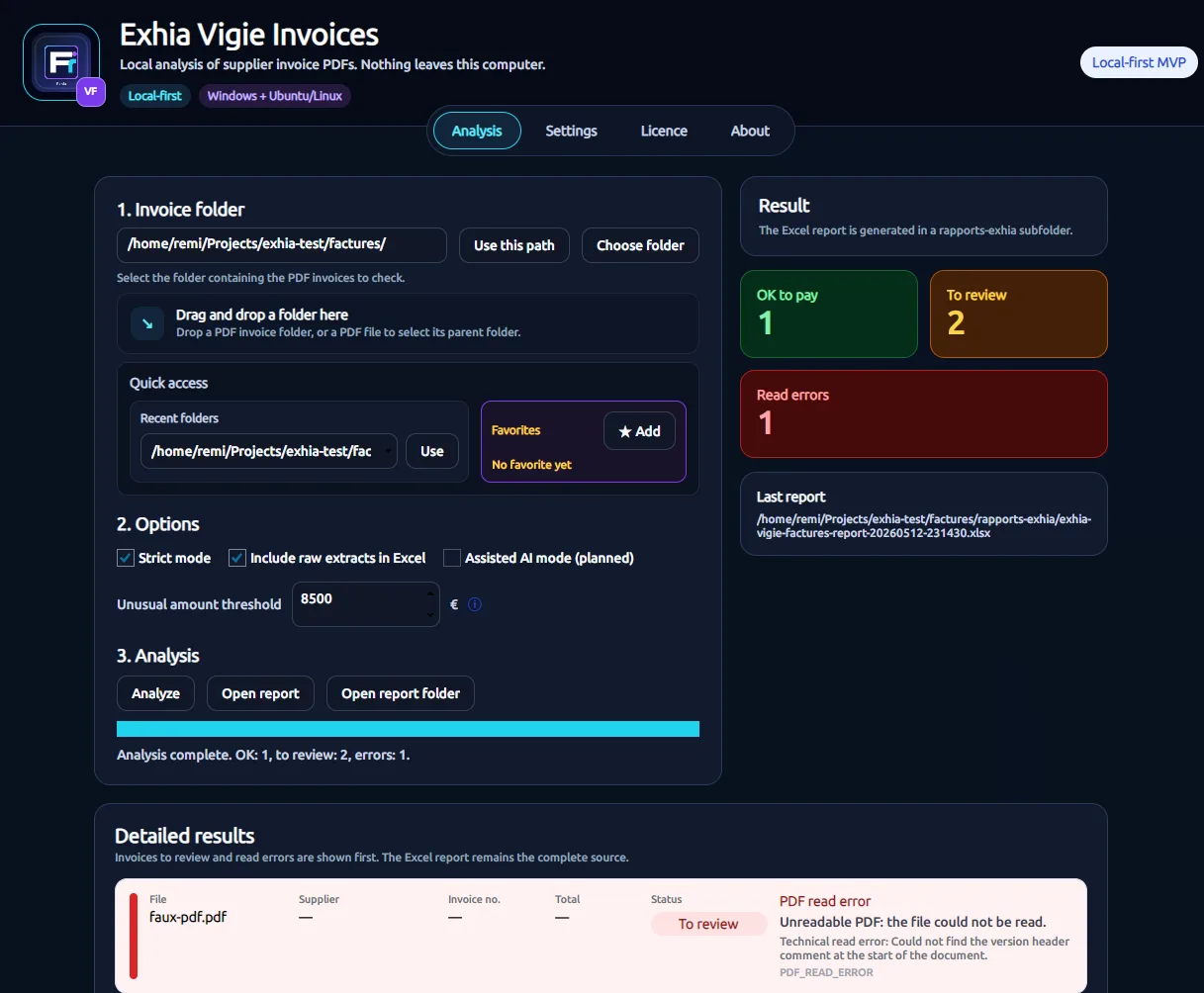
Analysis screenshot of Exhia Vigie Factures

Invoice analysis

Processing progress, license or demo status, visible results and control reasons.

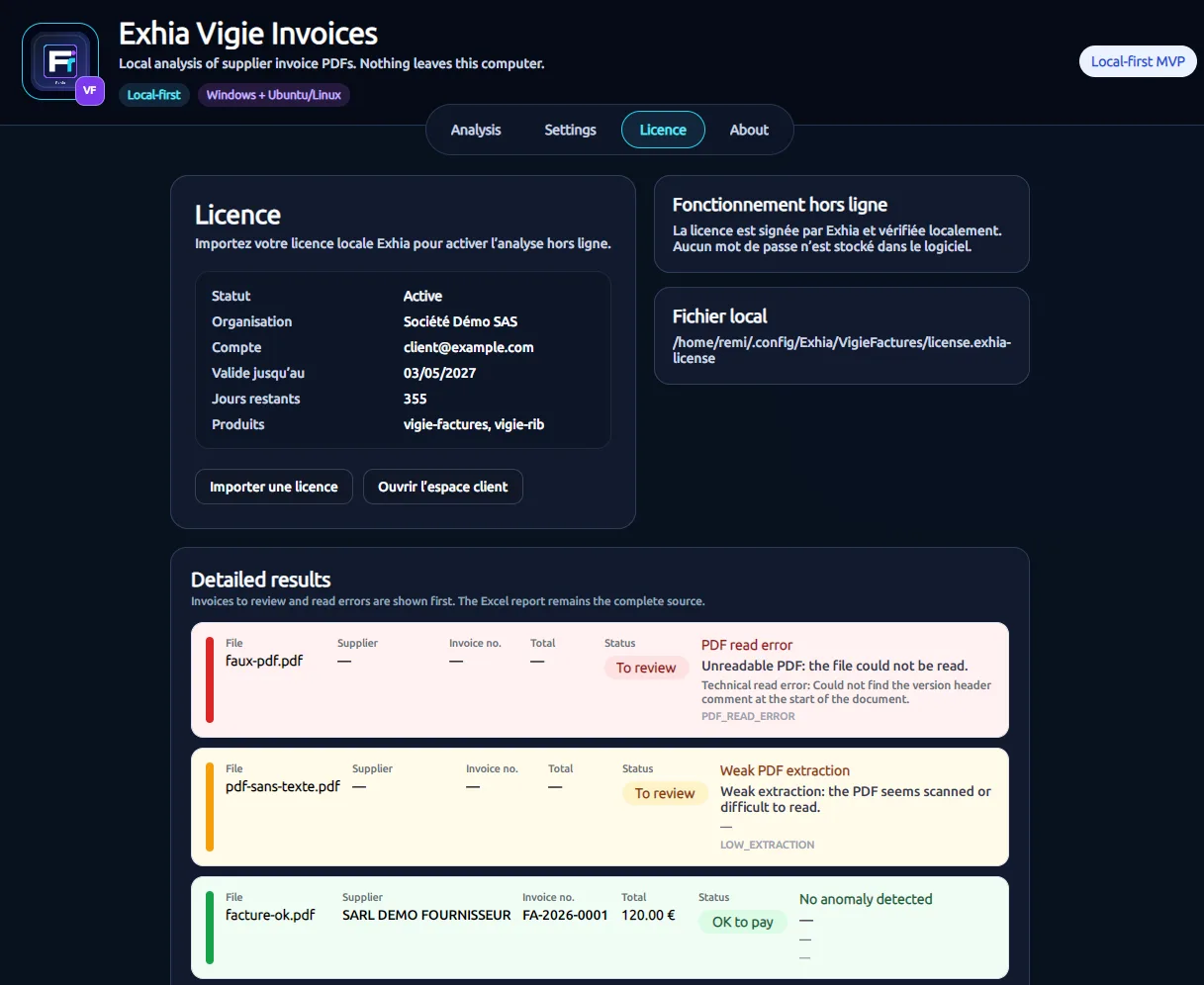
License screenshot of Exhia Vigie Factures

Local license

Import a signed license and verify it locally, with offline use while valid.

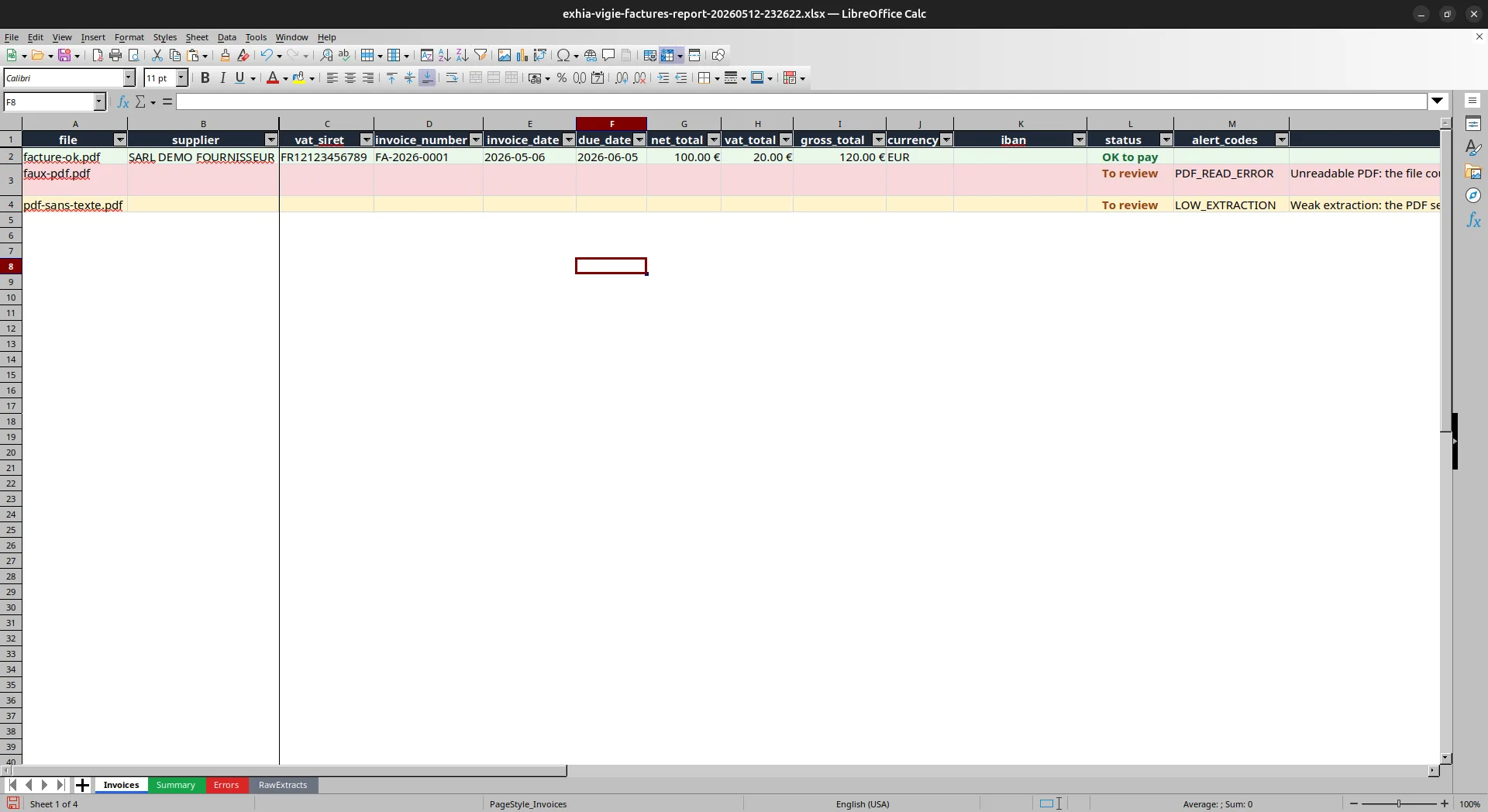
Excel report screenshot of Exhia Vigie Factures

Excel report

One row per invoice, OK or review status, control reasons and extracted fields.

Exhia Vigie RIB

Check supplier bank details before transfers.

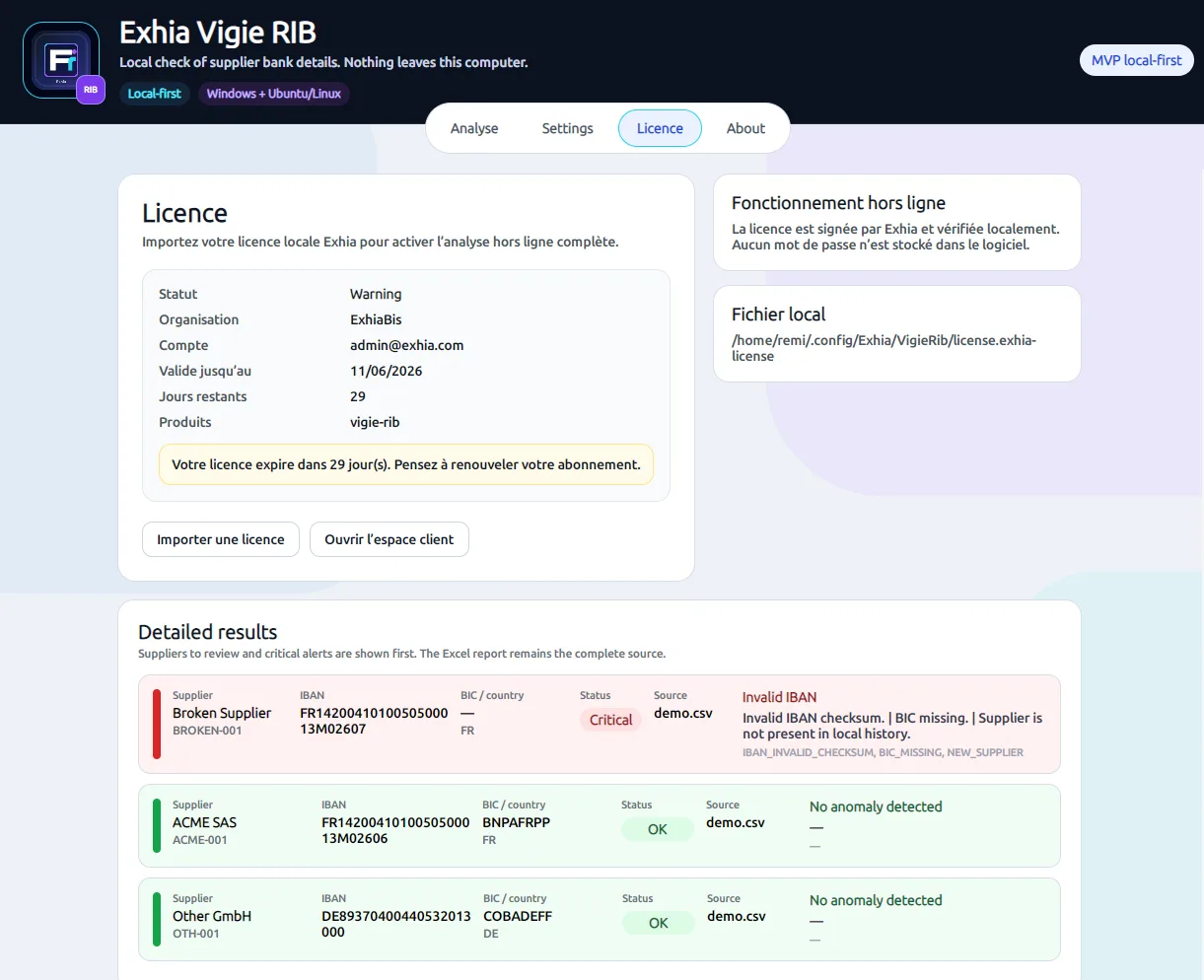
Supplier file analysis, IBAN validation, changed bank details, shared IBANs and suppliers to review.

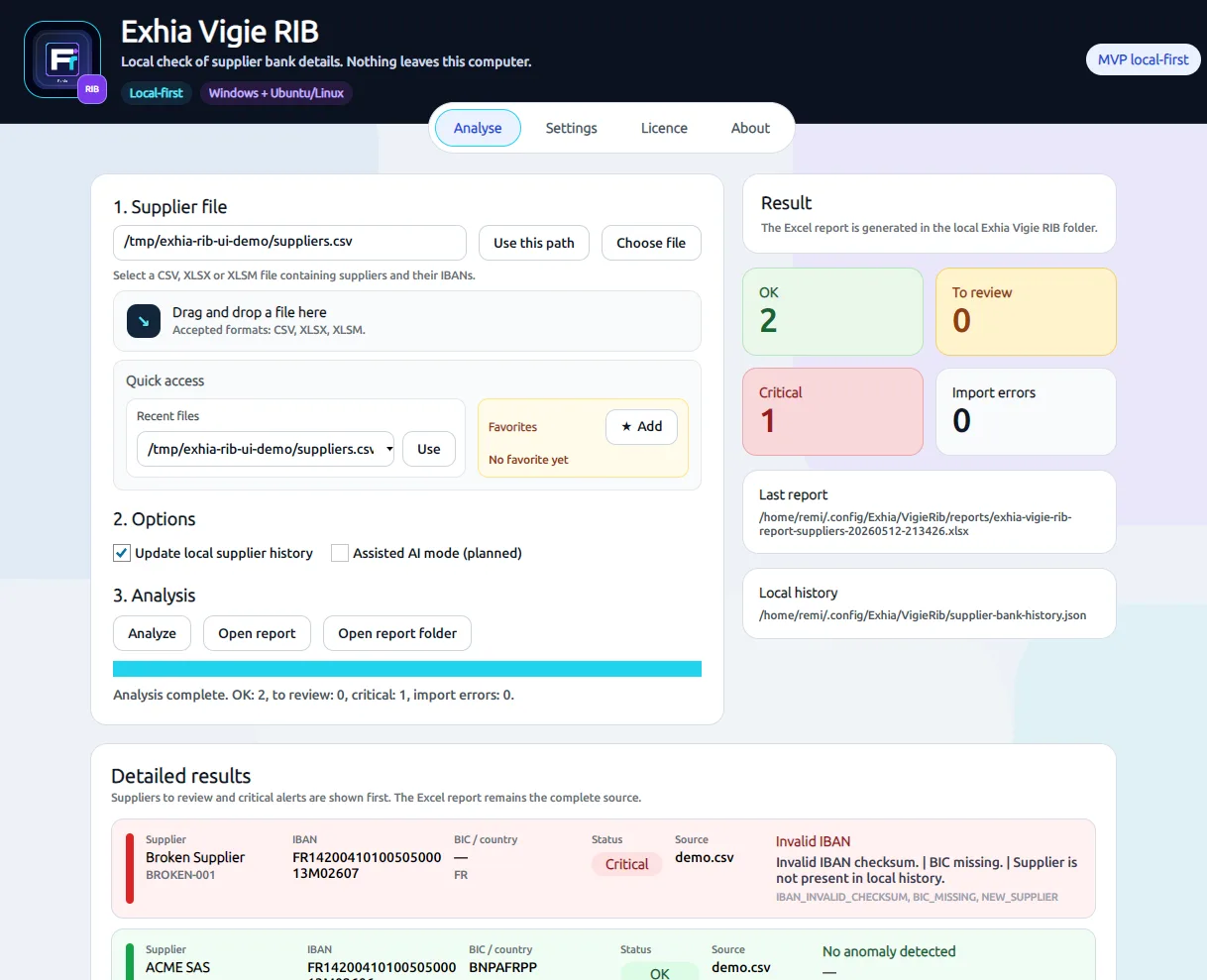
Analysis screenshot of Exhia Vigie RIB

Bank details analysis

Readable checks on IBANs, bank-detail changes and anomalies before payment.

License screenshot of Exhia Vigie RIB

Local license

Import a signed license and verify it locally, with offline use while valid.

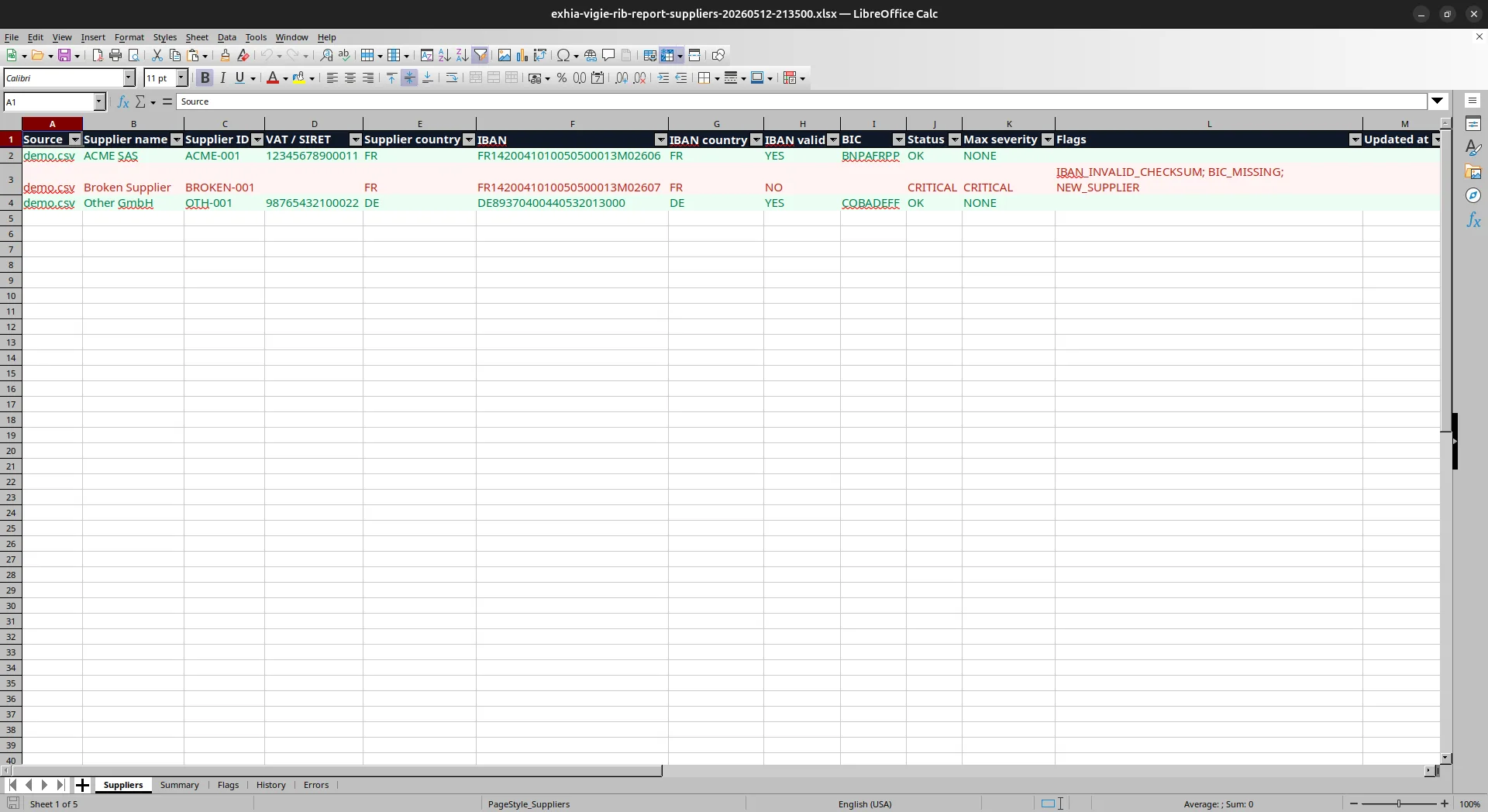
Excel report screenshot of Exhia Vigie RIB

Excel report

Summary of OK, new, changed or review-needed suppliers.

Trust

Simple purchase, local use, clear license.

Exhia is built for teams that need fast checks without a never-ending integration project.

  • Local data by default
  • Signed license verified offline
  • Secure downloads from the customer account
  • Stripe payment and centralized invoices